
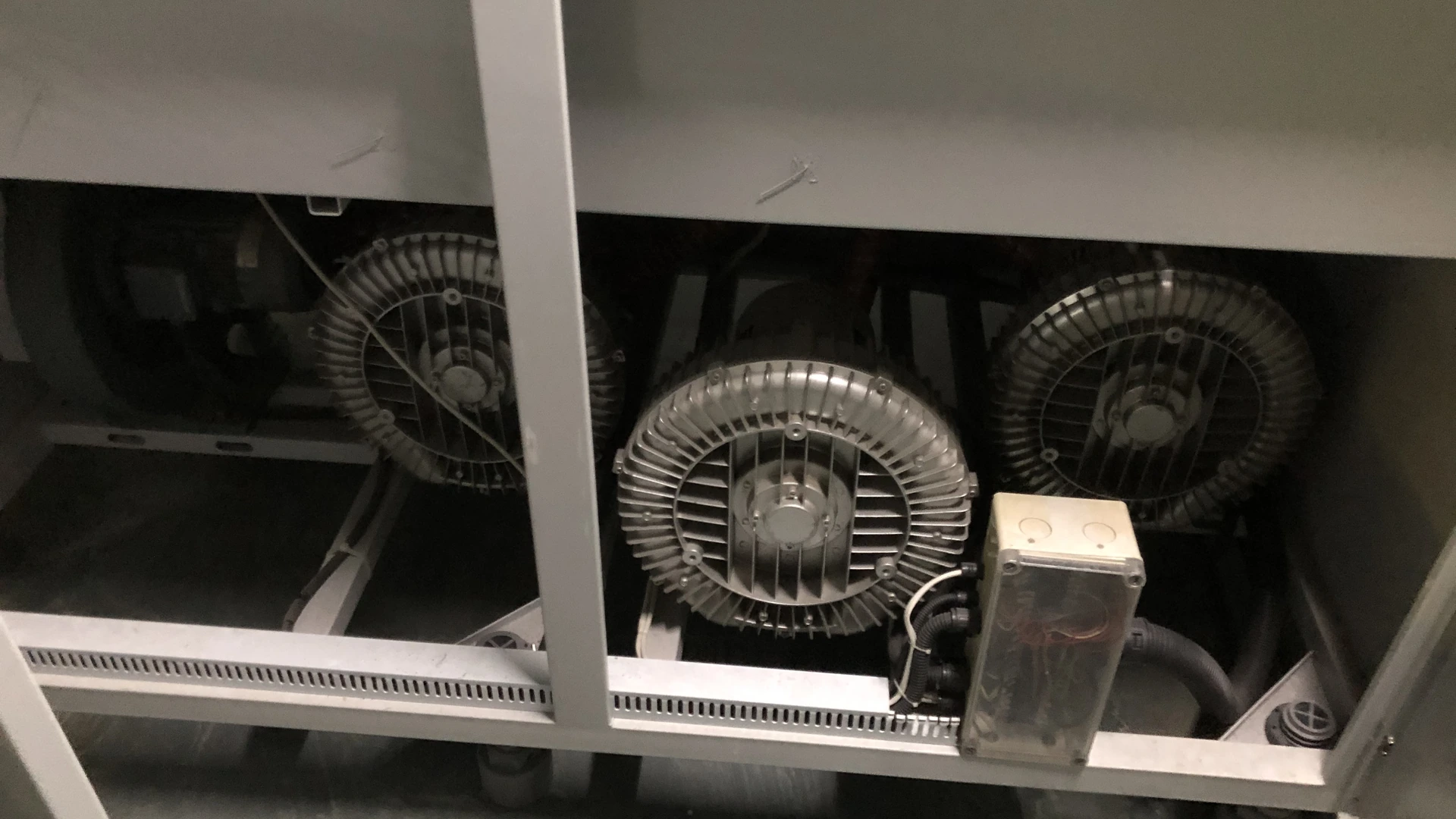
A high-speed blower needs a clean, unobstructed cooling path so heat from its motor, controller and bearings can leave the equipment. Dust on cooling surfaces, blocked vents, insufficient clearance and recirculated hot exhaust can raise internal temperature even when process airflow remains acceptable.
Cooling requirements are model-specific. Follow the final installation manual, keep the stated clearances open and record ambient or inlet temperature during commissioning. Do not solve repeated high-temperature alarms only by resetting the blower or opening a cabinet door; identify the heat source, airflow path and contamination condition.
Process Air and Cooling Air Are Not Always the Same
The air a blower supplies to a process and the air used to cool its electrical or mechanical components may follow different paths. An inlet filter can protect the process-air path while dust still enters an enclosure or coats an external heat sink. Conversely, a well-ventilated cabinet does not prove that the blower’s main intake is clean.
When reviewing an installation, identify:
- the process-air inlet and filter;
- cooling-air intake and discharge openings;
- motor and controller cooling surfaces;
- cabinet fans, filters and vents;
- nearby heat sources;
- possible recirculation paths.
Maintenance instructions should name these separately so that servicing one filter does not create false confidence about the whole thermal system.
Why High-Speed Equipment Is Sensitive to Heat
High-speed blowers combine compact dimensions with meaningful motor and electronic power. Heat must pass from internal components to cooling air and then out of the enclosure. If any step is restricted, temperatures rise.
Excess temperature can affect:
- electronic-controller life;
- winding insulation;
- bearing lubrication and life;
- sensors and connections;
- speed or power derating;
- alarm frequency and production stability.
The exact temperature limits and protection behavior depend on the model. Avoid inventing a general safe value; use the final manual and controller documentation.
How Dust Reduces Cooling Performance
Dust can affect cooling in several ways. It may block screens or cabinet filters, reduce airflow through small passages and form an insulating layer on heat-transfer surfaces. Fibers can collect rapidly on fan guards. Oil mist can turn otherwise loose dust into a dense coating.
The result may be gradual. Operators compensate for process changes, while the blower runs hotter each month. A temperature trend can reveal deterioration before an alarm interrupts production.
Cleaning must follow approved procedures. Blowing dust deeper into a controller or bearing area can make the problem worse. Isolate the equipment and use the model-specific method.
Clearance Is Part of the Cooling System
A blower installed too close to a wall or cabinet panel may not draw or discharge cooling air freely. Stored materials, added sound insulation or later pipework can also occupy the space reserved during design.
Do not rely on a generic clearance figure. Confirm the manufacturer’s final drawing and manual for the selected model. Review clearance around:
- air intakes and exhaust openings;
- controller heat sinks;
- removable covers and filters;
- electrical connectors;
- service access;
- adjacent hot equipment.
Preserve this space in the production layout, not only in the original CAD model. Marking a no-storage zone can prevent future blockage.
Hot-Air Recirculation
Even with open vents, cooling can fail if hot discharge air returns directly to the intake. This commonly occurs in small cabinets where inlet and exhaust openings are close together or both face the same enclosed region.
Observe airflow direction and measure temperatures at the cooling intake, inside the cabinet and at the exhaust. Smoke visualization may be used only under an approved safe procedure with a suitable medium.
Reposition vents, add baffling or improve cabinet exhaust where needed. The objective is a clear path from cooler ambient air to the equipment and then out of the enclosure.
Cabinet Ventilation Must Remove the Total Heat Load
The blower is not the only heat source in an equipment cabinet. Drives, power supplies, transformers and other controls contribute. Solar gain or nearby ovens may raise the enclosure temperature further.
The equipment builder should assess total heat load and ambient conditions. Cabinet fans must be selected for the actual pressure resistance of filters, louvers and ducts. A fan’s free-air rating does not equal installed flow through a restricted cabinet.
Where air cooling cannot maintain the allowed environment, a heat exchanger or air-conditioning solution may be required. This decision must account for dust, humidity, condensation and maintenance.
Cooling Filters Also Need Maintenance
If the enclosure or blower uses a separate cooling-air filter, include it in the maintenance plan. Identify it clearly so technicians do not service only the process-air filter.
Record:
- filter location and part number;
- approved cleaning or replacement method;
- inspection interval;
- pressure or condition limit where provided;
- cabinet and cooling-intake temperatures;
- observed dust loading.
Filter frequency depends on site conditions. A calendar starting point must be refined with inspection evidence. Heavy dust or construction work can shorten the interval sharply.
Ambient Temperature Changes Operating Margin
Cooling depends partly on the temperature difference between equipment and surrounding air. A machine commissioned in a cool workshop may operate differently during summer or after installation beside a hot process.
Record minimum and maximum expected ambient temperature during equipment design. Measure actual intake temperature during full production, not only room temperature far from the cabinet.
High altitude can also affect cooling because air density is lower. If the site differs materially from the specified conditions, ask the blower supplier to review the application rather than assuming catalogue performance and thermal margin remain unchanged.
Warning Signs of a Cooling Problem
Investigate when you observe:
- temperature or controller alarms;
- speed or output reducing after warm-up;
- trips during hot shifts but not cool shifts;
- unusually hot cabinet surfaces;
- blocked or heavily loaded vents;
- weak cabinet-fan airflow;
- dust layers on cooling surfaces;
- repeated faults after production demand increases;
- cooling intake temperature well above room ambient.
These signs can also have electrical or mechanical causes. Preserve fault codes and operating readings, then follow a structured inspection.
A Practical Cooling-Air Inspection
1. Preserve evidence
Before resetting an alarm, record fault code, blower speed, current or true power, inlet and discharge pressure, temperatures and production condition.
2. Isolate safely
Follow electrical and mechanical lockout requirements. Allow hot components to cool before contact.
3. Inspect external airflow paths
Check vents, guards, filters, fan operation and required clearances. Remove unrelated stored materials from designated cooling space.
4. Inspect contamination
Look for dust, fibers, oil film and moisture on approved accessible surfaces. Do not dismantle protected assemblies outside the manual.
5. Check cabinet airflow and recirculation
Confirm that cool air enters and hot air exits without short-circuiting back to the intake.
6. Compare temperatures with the baseline
Use the same measurement points and production state. Confirm instrument accuracy.
7. Correct and retest
Service filters, restore clearance or repair ventilation, then repeat all relevant readings under load.
If overheating remains, escalate to qualified technical support.
Commissioning Data to Keep
During the first accepted run, record:
- ambient room temperature;
- cooling-air intake temperature;
- cabinet internal temperature at a defined point;
- blower or controller temperature values available through approved interfaces;
- process airflow and pressure;
- blower speed;
- voltage, current and true input power if available;
- cabinet-fan state;
- process and cooling filter condition;
- product, line speed and duty cycle.
Photograph clearances and vent arrangements. This baseline helps distinguish a later environment change from an internal blower fault.
Cooling and Acoustic Enclosures
Noise-control panels can unintentionally obstruct cooling. An enclosure may reduce sound at the operator position while trapping heat or adding restrictive ventilation ducts.
Any acoustic treatment should preserve the required air path. Select silencers or lined ducts based on their pressure loss and heat-removal duty. Do not add foam directly over vents or heat sinks.
After modification, repeat temperature, noise and electrical tests at maximum normal duty and the hottest credible ambient condition.
Applying This to Towwind Energy-Saving Blowers
Confirm the selected model’s current specification, pressure-flow curve, electrical nameplate and installation requirements before assigning an operating point.
Confirm the selected model’s current specification, pressure-flow curve, electrical nameplate and installation requirements before assigning an operating point.
Before installation, provide Towwind with the duty point, duty cycle, ambient range, altitude, cabinet arrangement, contamination conditions, voltage and control requirements. Confirm the final model manual and connection drawing rather than relying on a generic dimensional assumption.
Cooling Condition and Energy Use
Poor cooling can lead to derating, interruptions or operation outside the intended thermal condition. It can also cause cabinet fans or cooling equipment to consume additional energy.
Evaluate blower energy at equivalent process output using measured true input power:
Energy use (kWh) = measured input power (kW) × operating hours
Include auxiliary cooling energy when comparing complete systems. A compact blower with an inadequate cabinet may require more ventilation than the purchase proposal anticipated.
Any energy benefit depends on the existing system, operating point and cooling arrangement. Verify measured input and accepted output under stable site conditions.
Questions Equipment Buyers Should Ask
Before approving the design, ask:
- What are the allowed ambient and inlet temperatures?
- Where do cooling air enter and leave?
- What clearances are required?
- Is cooling air filtered separately from process air?
- What cabinet heat load was used in the ventilation calculation?
- How are filters and cooling surfaces accessed?
- What temperatures and alarms can the controller report?
- Does altitude or enclosure protection require derating?
- How will the hottest operating condition be tested?
Answers should refer to the selected model and final manual.
Final Takeaway
Clean cooling air is a reliability requirement, not a housekeeping preference. Dust, insufficient clearance and hot-air recirculation reduce heat transfer and can affect the motor, controller and bearings long before the process-air path looks blocked.
Map both process and cooling airflow, design cabinet ventilation for the complete heat load, and keep model-specific clearances open. Record temperatures during commissioning and trend them with speed, power and production state. This gives maintenance teams early evidence and helps high-speed blowers operate reliably through real factory conditions.
Frequently Asked Questions
Is the blower inlet filter also the cooling-air filter?
Not necessarily. Process air and component cooling may use different paths. Identify and maintain each path according to the selected model.
Can a blower overheat even when process airflow is normal?
Yes. Blocked cooling vents, hot-air recirculation, cabinet heat or contaminated heat-transfer surfaces can raise temperature independently.
Does IP55 mean cooling clearance is unnecessary?
No. An enclosure rating does not eliminate heat-removal and installation-clearance requirements. Follow the final manual.
Can sound insulation be installed around a high-speed blower?
Only when it preserves the required cooling path, service access and environmental limits. Retest temperature and performance after modification.
What cooling data should maintenance record?
Record ambient, cooling-intake and cabinet temperatures, blower speed, input power, filter condition, fan state, alarms and production duty at defined points.